Add AI captions to your short videos

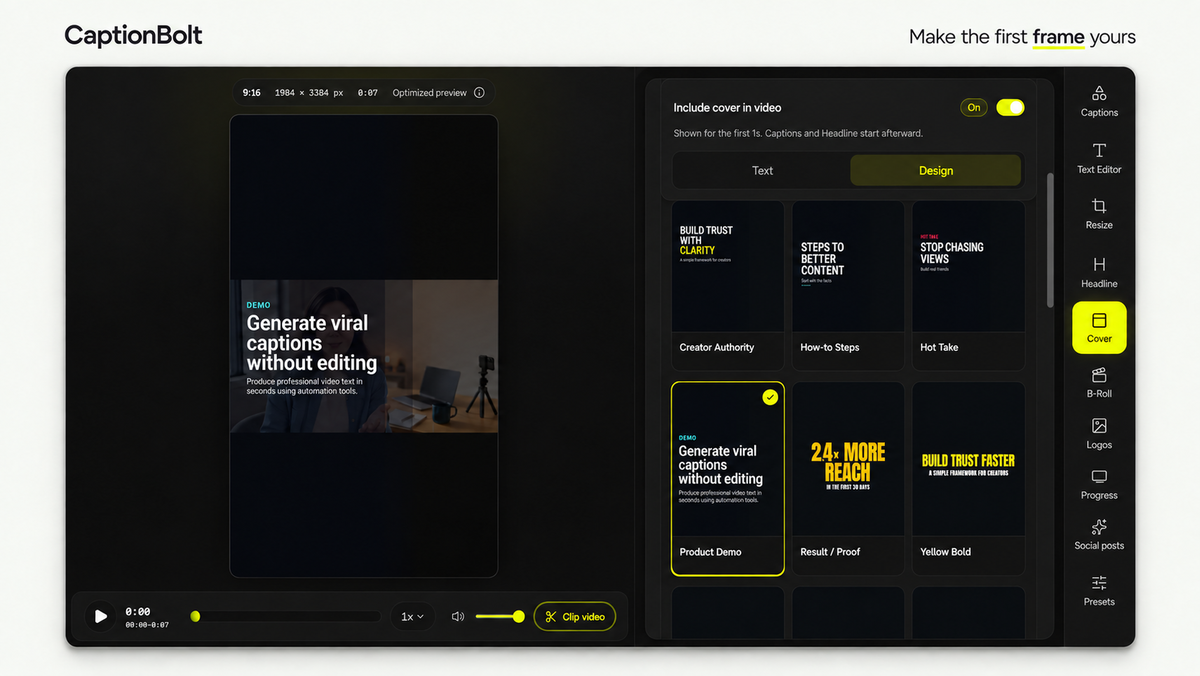
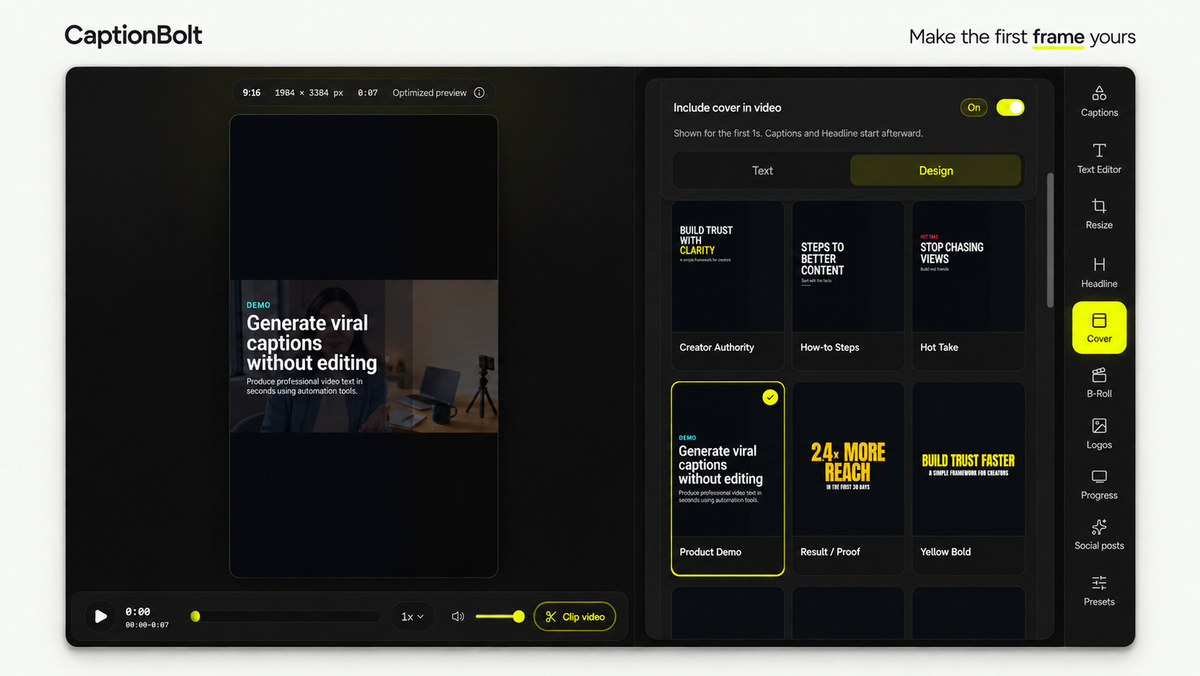
Cover designs and video preview
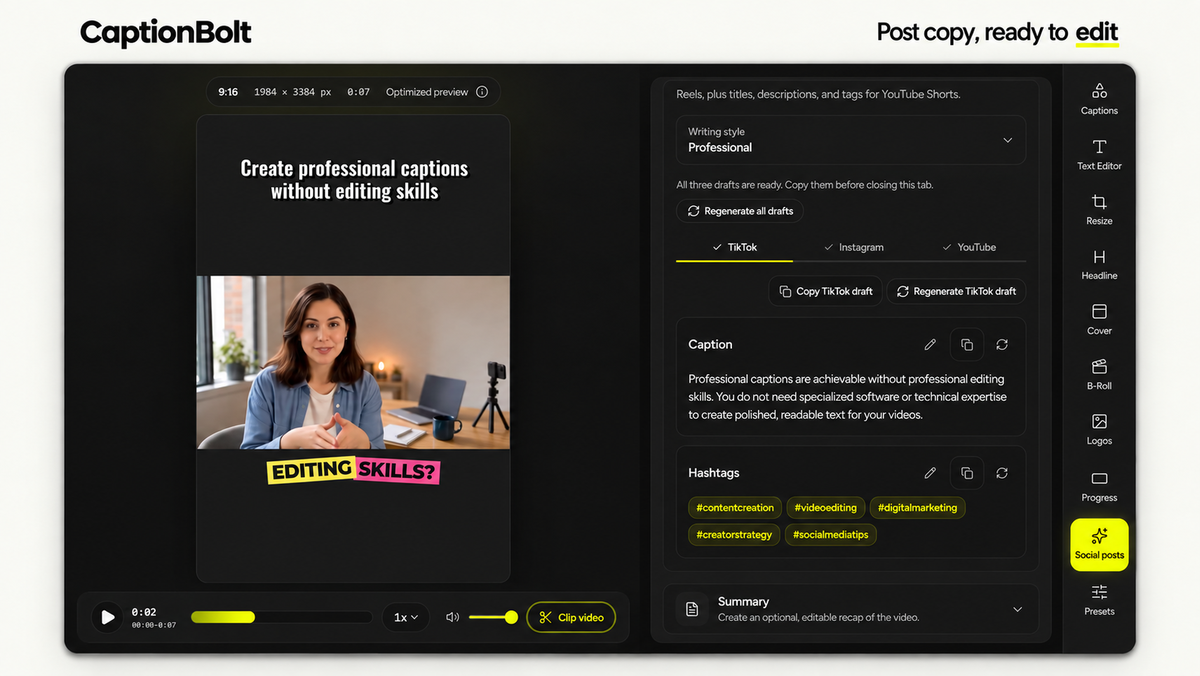
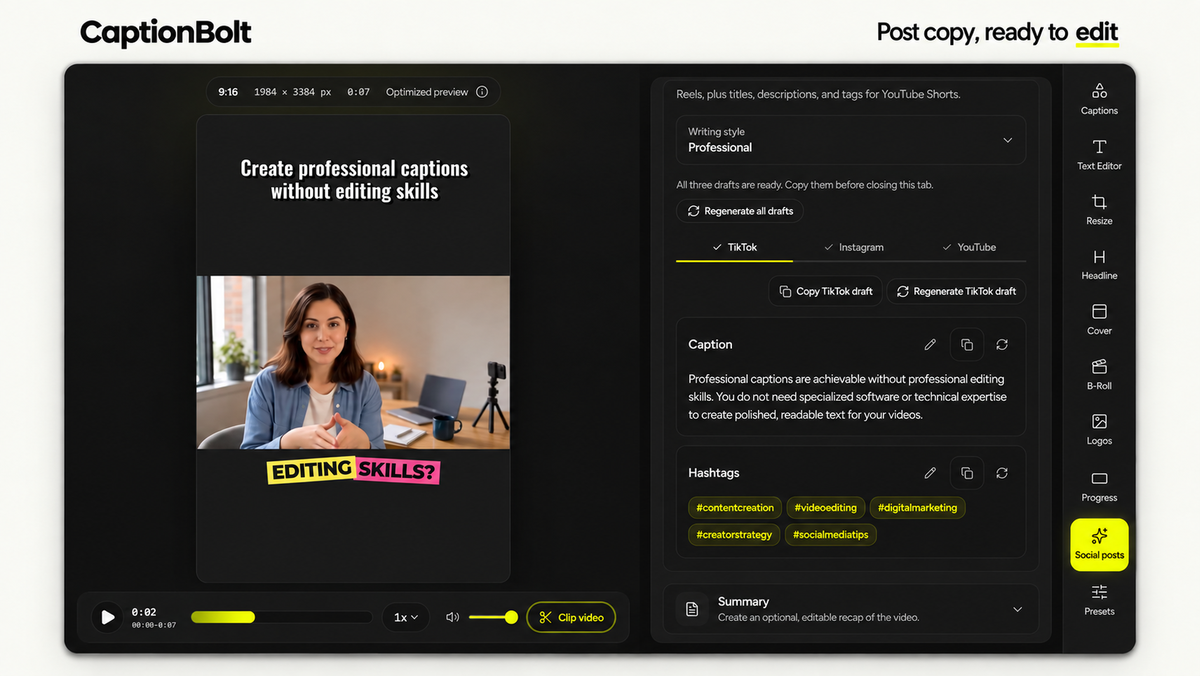
Editable social post draft
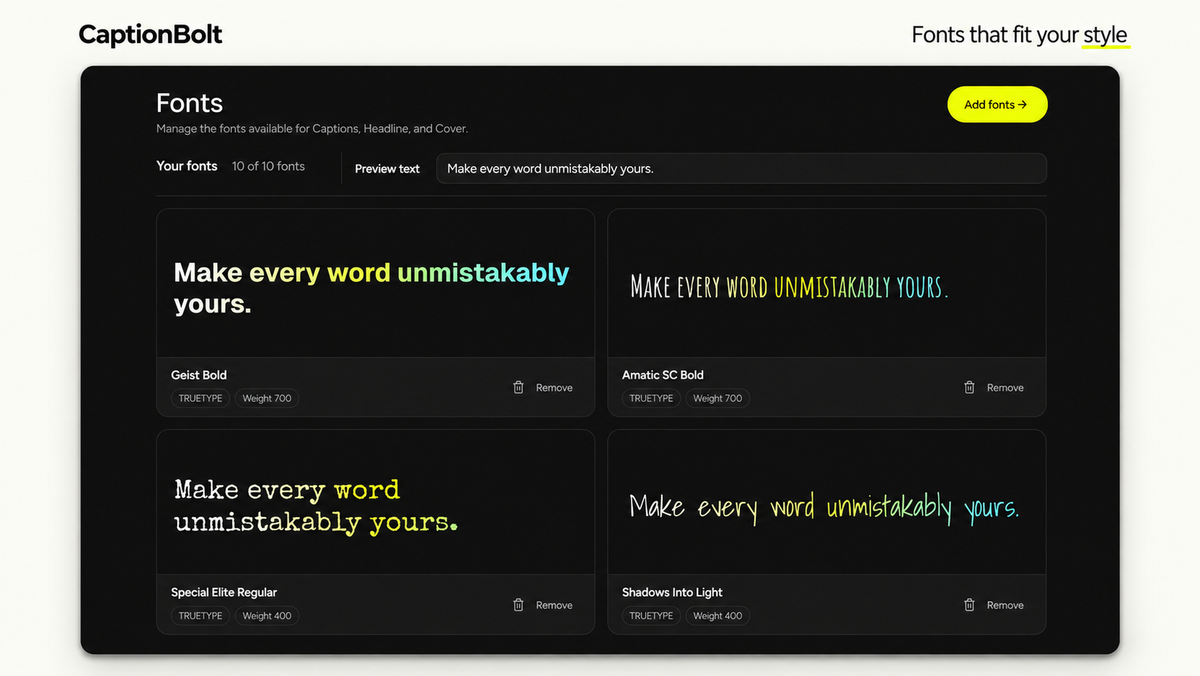
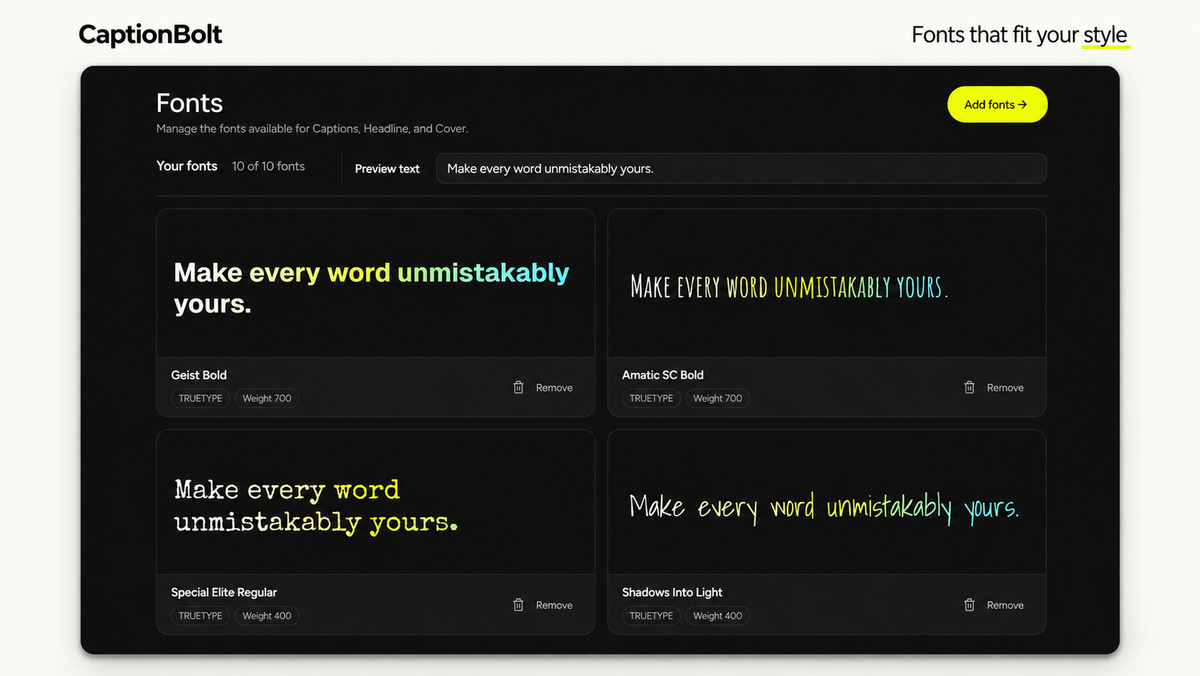
Saved fonts and style previews
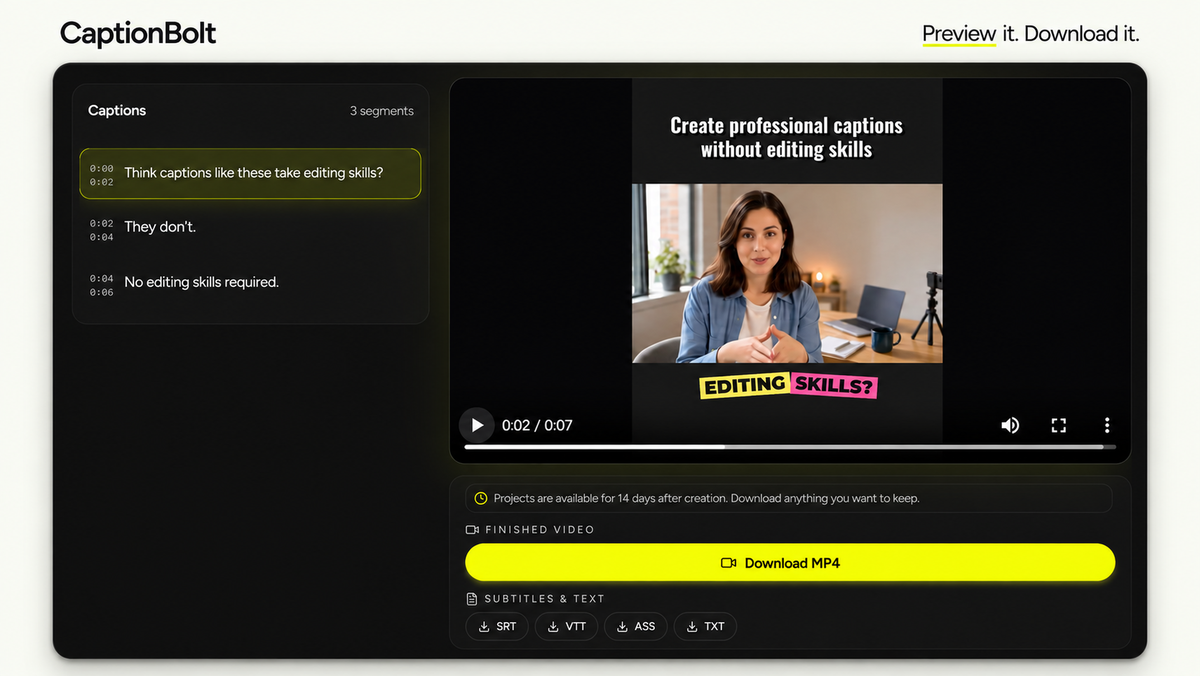
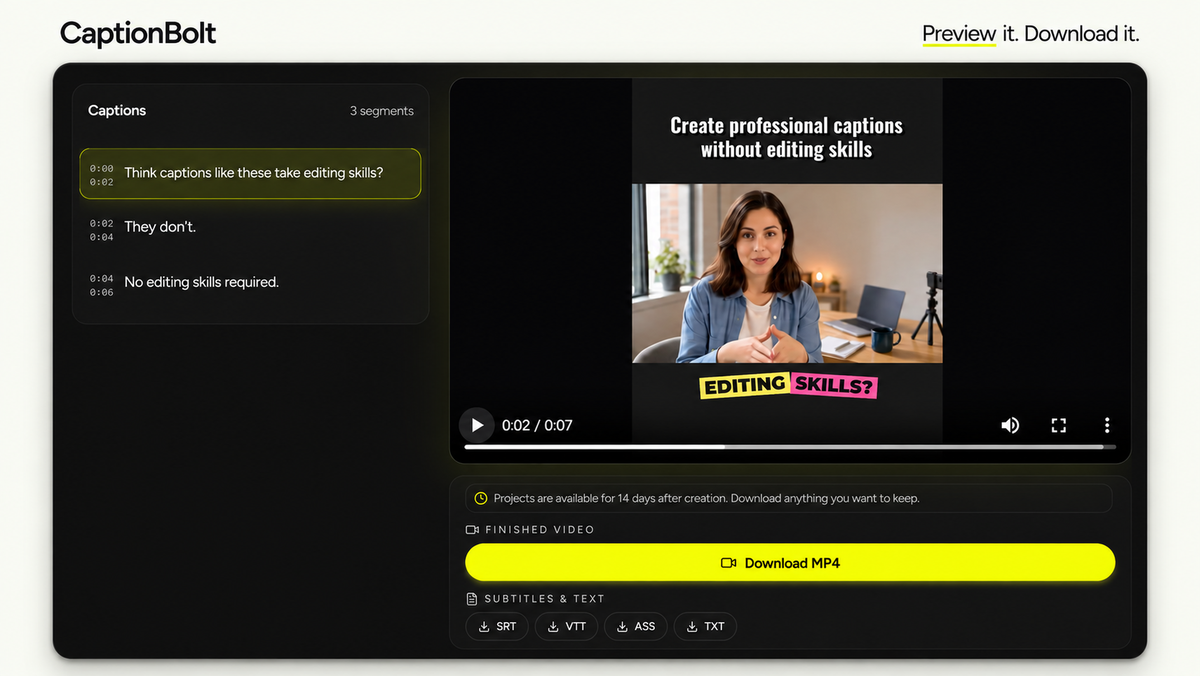
Finished video and download options

CaptionBolt

-92%$39
$468
  • Lifetime access
  • Refundable up to 60 days
  • Plus members are covered by our We Got Your Back guarantee

AppSumo Launchpad

Chosen by AppSumo for their potential and innovation

Adding captions to short videos usually means syncing text line by line and learning editing software you don’t have time for. CaptionBolt styles captions from your speech and gets the video ready to post.

TL;DR

  • checkmarkApply AI captions in 338 styles instantly, then review the words instead of fiddling with timing
  • checkmarkFinish videos with resizing, B-Roll, covers, branding, and social post drafts in one workflow

At-a-glance

captionbolt.com

Alternative to

Descript, Kapwing

Integrations

Pexels

Best for

Content creators, Marketing agencies, Social media marketers

Turn spoken videos into captioned, social-ready shorts with 4K exports and no watermarks

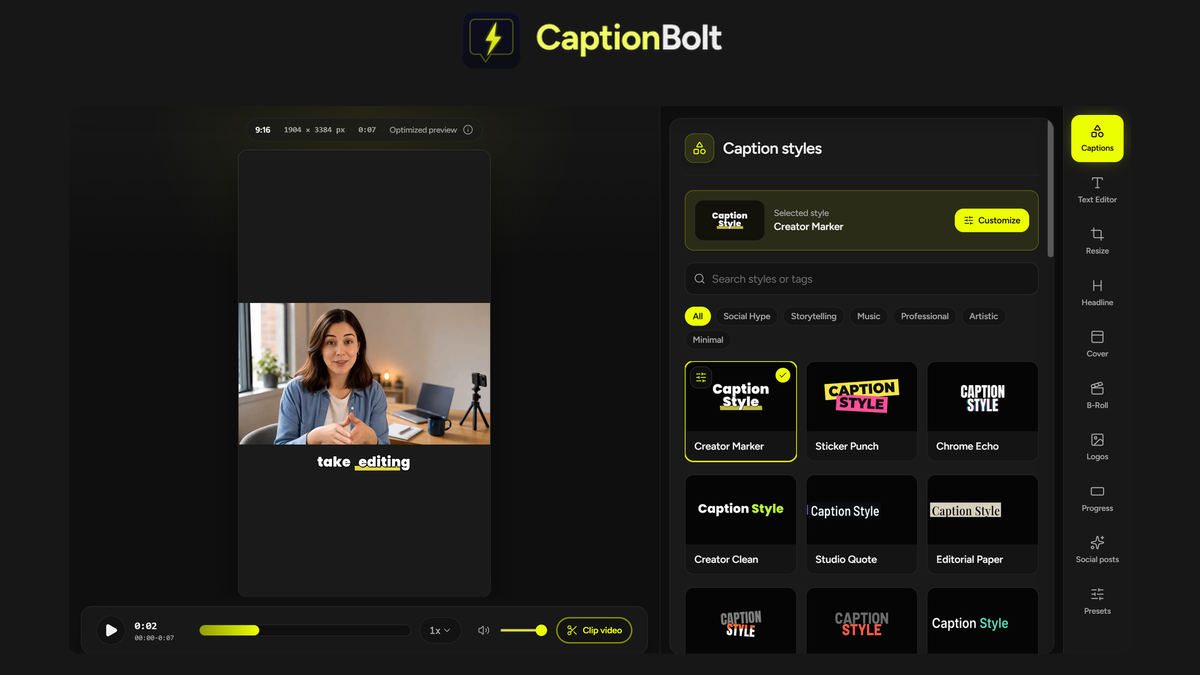
Generate captions in the style you want

  • Generate captions from the speech in your video, then pick from 338 caption styles
  • Customize the look by adjusting the font, color, motion, and highlighted words
  • Fix names and terms in Text Editor without changing the audio
  • Automate captioning with a REST API, webhook, or MCP server for AI agents (available in Tier 3)
Generate captions in the style you want

Preview, resize, and export your finished video

  • Review every caption segment in the preview to see where the speaker and captions land
  • Switch to 9:16, 1:1, 4:5, or 16:9 and fit the shot with a crop, blurred background, or solid color
  • Download MP4s in up to 4K with no watermarks
  • Export a TXT transcript, plus SRT and ASS subtitle files (available in Tier 2 and above) or VTT (available in Tier 3)
Preview, resize, and export your finished video

Hook viewers with a cover and your branding

  • Pick a cover from 24 editable designs, then write or edit the opening text
  • Add B-Roll from suggestions, Pexels, or your own uploads, then adjust its timing
  • Keep your branding consistent with a logo, progress bar, or saved preset
Hook viewers with a cover and your branding

Write post copy without starting from scratch

  • Draft posts for TikTok, Instagram Reels, and YouTube Shorts from your video’s transcript
  • Choose a writing style so every draft matches your voice
  • Edit each draft with your own wording, hashtags, and YouTube title or description
  • Copy the finished text and paste it straight into your post
Write post copy without starting from scratch

Choose the plan that’s right for you

Feel secure in your purchase with AppSumo's 60 day money-back guarantee.

Recommended badgeRecommended
Refundable up to 60 days
Plus members are covered by our
We Got Your Back guarantee
Deal terms & conditions
CaptionBolt
See CaptionBolt
Founded October 15, 2023
Hong Kong
1-10
Startup
Bootstrapped

We built it: recover captions hidden under music

Hi Sumo-lings,

Matt here, founder of CaptionBolt.

Thank you. Since our AppSumo launch, you've put CaptionBolt to work on your own videos and told us honestly what works and what doesn't. For a small, bootstrapped team like ours, that kind of feedback is everything. I read every question, review, and suggestion, and both updates below came straight from them.

1) Deep scan: recover captions hidden under music

Some of you pointed out that in videos with songs, heavy background music, or very fast speech, a stretch of captions could go missing, or a single word would stay on screen far too long. You were right, and I'm sorry if that happened on a video you care about.

This turned out to be one of the toughest problems in captioning. Music and fast vocals are the hardest audio there is for speech recognition, and these gaps appear without any warning, so they're easy to miss. Over the past few days, we studied dozens of real videos and tested the leading speech recognition AI side by side. None of them handle this perfectly yet. It's a limit of where AI is today.

So rather than wait for AI to catch up, we built Deep scan. It finds those spots for you and gives each one a focused, deeper analysis to recover the vocals and lyrics hidden under the music. In our testing, it brought back most of what was missing.

To use it, open a project, go to Text Editor, and click Deep scan. Play each recovered passage against the original audio, keep the ones you want, and add them in one step you can undo.

A few honest notes:

• Clear voices give the best results. Pure music, humming, or voices buried under noise may not be recoverable.

• Like any AI, it can occasionally mishear a lyric, and recovered lines may need a quick touch-up, such as capitalization or punctuation. That's why you can play every passage and choose what to add.

• It's included in every AppSumo tier and doesn't deduct extra processing minutes.

• It works on projects uploaded in the last 14 days, including ones uploaded before this update. For a completed project, click Edit again to make an editable copy, then run Deep scan there.

We'll keep improving this as speech recognition AI gets better.

2) Live style previews: see a style move before you pick it

Others asked for an easier way to see how a caption style actually moves before applying it. Now, in the Captions panel, just hover over any style card and it plays a short loop of that style's animation. You can compare styles at a glance instead of trying each one on your video.

Keep the suggestions coming. If something doesn't work the way you expected, or there's something you wish CaptionBolt could do, post in the Questions section here or email support@captionbolt.com. If it's about a specific video, include the project link. Real examples help us more than anything.

Thank you again for backing us this early. We'll keep listening, and we'll keep shipping.

Matt
CaptionBolt

Matt Liu
Founder

Questions & reviews

AskSumo

Customers appreciate CaptionBolt, praising its time-saving capabilities, user-friendly interface, and impressive range of customizable caption styles. While some users noted minor drawbacks like the absence of AI clip-splitting and the lack of translation or dubbing features, these are just small bumps on the road. Overall, CaptionBolt is hitting the mark and is a solid buy for anyone looking to enhance their short-form videos for social media. With a 60-day money-back guarantee, it's worth giving it a try!

AI-powered summary of customer reviews